

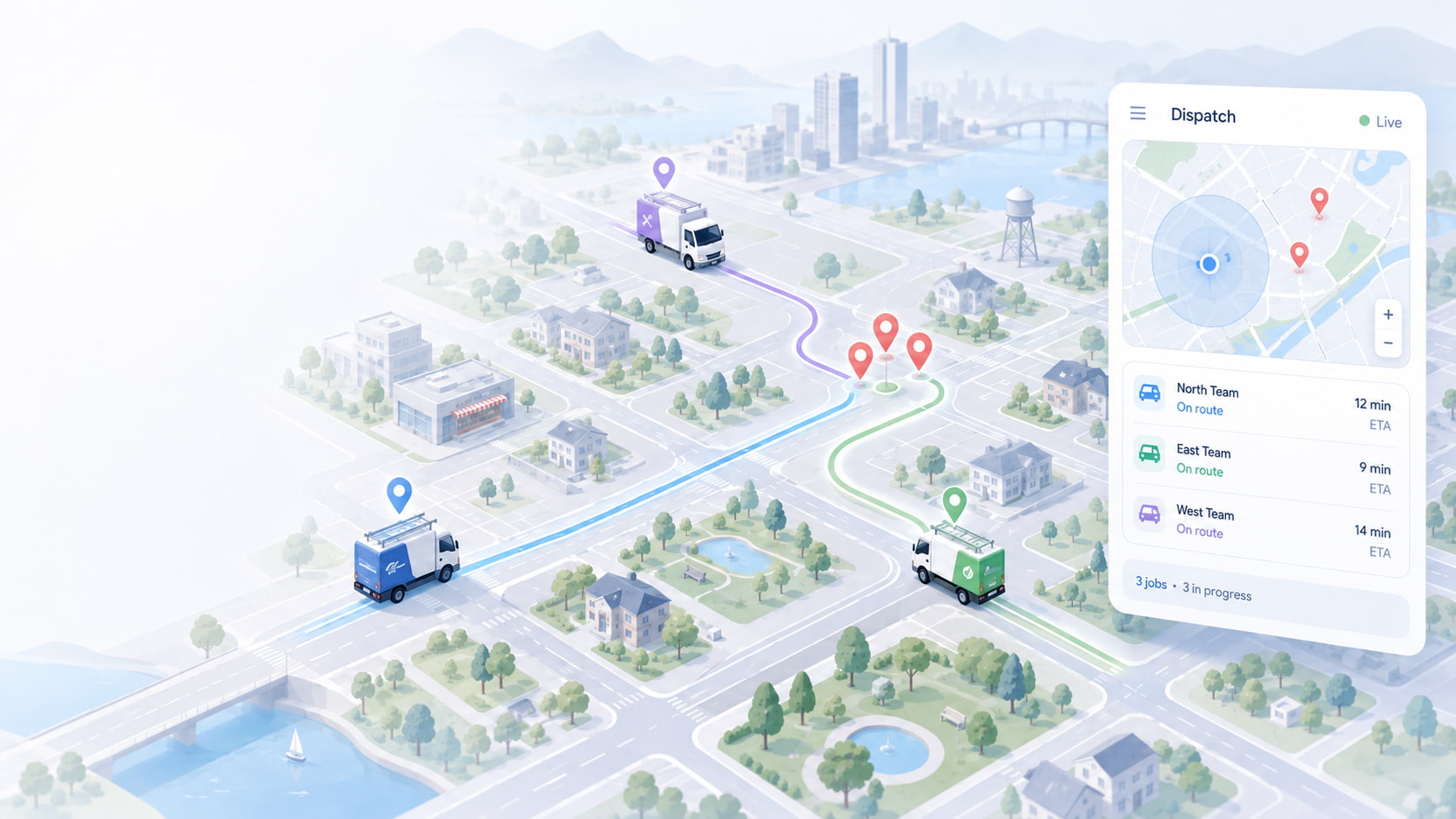
Your techs aren't sitting still — but a surprising share of their paid day isn't spent on a job either. It's spent behind the windshield: driving to the next call, doubling back across town because dispatch sent the wrong truck, or idling in traffic on a route nobody planned. That "windshield time" is one of the largest hidden costs in a small service fleet, and most owners try to fix it by shopping for expensive route-optimization software built for something else entirely.
You probably don't need it. If you run 5 to 12 jobs a day per truck, the tool that cuts your drive time most is the one you likely already have: a live map of where your trucks are. This guide shows how small service fleets use GPS tracking — not dedicated routing software — to claw back windshield time in 2026.
Spytec GPS is a self-serve GPS fleet tracking platform built for small and mid-size service fleets, with free hardware on every plan, no contracts, and transparent pricing from $8.95/vehicle/month on the annual Pulse OBD plan.
What windshield time actually costs you
Windshield time is every paid minute a technician spends driving instead of billing. It hides in plain sight because it looks like normal work — the truck is moving, the tech is "on the clock" — but no revenue is being generated and fuel is being burned.
The leak adds up fast. Dispatching the closest available technician instead of "whoever picks up the phone" typically cuts daily drive time by 15–20%, and the gain is even larger for emergency trades like plumbing and HVAC where the next call location is unpredictable (see our 2026 fleet management statistics). On a five-truck fleet, trimming even 30 minutes of drive time per truck per day is 12–13 labor-hours a week you can either bill or send home — plus the fuel you didn't burn getting there.
The reason it stays hidden is that it never shows up as a line item. It quietly inflates your labor cost per job, which is exactly the number GPS route data helps you see. If you want to connect drive time to profit per job, pair this with GPS-based job costing.
Why small service fleets don't need routing software
Route-optimization software is genuinely useful — for the fleet it was designed for. That fleet is a courier or last-mile delivery operation cramming 40 to 80 stops into a shift, where sequencing the drops in the mathematically perfect order saves real money. If that's you, that's a different problem, and we cover it in courier fleet tracking.
A service fleet is not that. An HVAC, plumbing, electrical, landscaping, pest control, pool, or roofing crew runs a handful of longer jobs per day, and the "route" changes constantly as emergency calls come in and jobs run over. You're not solving a 60-stop traveling-salesman puzzle. You're answering three simpler questions all day long:
- Which truck is closest to the call that just came in?
- Is the job I promised at 2:00 actually going to be on time?
- Where did the day's drive time actually go?
You don't need an optimization algorithm to answer those. You need to see your trucks on a map in real time — and that's tracking, not routing software.
Four ways to improve route efficiency without routing software
1. Dispatch the closest available tech
The single biggest source of wasted drive time is sending the wrong truck. When a call comes in and you assign it by phone — "who can grab this?" — you're guessing at locations, and the tech who answers is often across town. A live GPS map removes the guess: you see every truck's current position, and you send the one that's genuinely nearest and free. Do this consistently and you capture most of that 15–20% drive-time reduction without changing anything else about how you work.
2. Kill the guesswork on ETAs
"He's about 20 minutes out" is a guess that turns into a callback when it's wrong. With live location you can give customers an ETA you can actually see, and you can spot a tech stuck in traffic and reroute the next job before it becomes a late arrival. Fewer "where's my technician?" calls means your office spends less time on the phone and more time dispatching.
3. Use route history to catch the detours
Route history — the recorded breadcrumb trail of where each truck went and when — is where the quiet time-wasters show up: the daily 25-minute lunch that's really 55, the personal errand on the way to a job, the side trip to a second location you didn't authorize. You're not trying to micromanage; you're finding the recurring patterns that add an unbilled hour to a truck's day, then coaching them out.
4. Stage the day from the map
Before the first call, a two-minute look at the map tells you where your trucks slept and where the day's jobs cluster. If two techs start the morning driving past each other to opposite sides of your territory, you can swap the first jobs and save both of them a cross-town run. Over a week, right-sizing who covers which zone is a bigger win than optimizing any single route.
See where your trucks are — and cut the drive time you're paying for. Every Spytec plan includes free hardware, no contract, and transparent pricing from $8.95/vehicle/month.
A simple weekly routine to reclaim drive time
You don't need a project to do this — just a short, repeatable habit. Here's a routine small service fleets can run with nothing but a GPS map:
- Every morning (2 minutes): Open the live map, see where the trucks are, and confirm the first jobs are assigned to the nearest crews.
- Every dispatch (10 seconds): When a new call lands, assign it from the map — closest free truck wins, not the first to answer.
- Every Friday (10 minutes): Pull route history for the week and look for two things: trucks that consistently log high drive time, and repeat detours. Pick one pattern to fix next week.
- Every month (15 minutes): Compare drive-time hours to billable hours. If the ratio is creeping up, your territories or scheduling need a tune-up, not more trucks.
That's the whole system. It works because it targets the actual problem a service fleet has — dispatch decisions and accountability — instead of the problem a delivery fleet has.
What it costs
Dedicated routing software is usually a per-seat or per-vehicle subscription on top of whatever else you pay, and much of what it optimizes doesn't apply to a low-stop service route. GPS tracking that shows you live location and route history is a fraction of that — and on Spytec, the hardware is free.
The Pulse OBD plug-in tracker is $8.95/vehicle/month on the annual plan ($14.95 month-to-month), with the device included at no cost, $0 activation, $0 cancellation, a 30-day money-back guarantee, and free 2-day shipping. Volume discounts start at 5 vehicles and reach 25% at 100. You can compare it against the enterprise platforms in our fleet tracking pricing comparison. There's no sales call and no contract — you set it up yourself and start seeing your trucks the day it arrives.
Frequently asked questions
Do I need route optimization software for a small service fleet?
Usually not. Route-optimization software is built for high-stop delivery routes (40–80 drops a shift). A service fleet running 5–12 longer jobs per day gets most of its drive-time savings from seeing trucks on a live map and dispatching the closest one — which is GPS tracking, not routing software.
How does GPS tracking reduce windshield time?
It reduces drive time in four ways: dispatching the closest available technician instead of guessing, giving accurate ETAs so jobs stay on schedule, using route history to catch detours and long stops, and staging territories from the map so techs don't crisscross. Dispatching the nearest tech alone typically cuts daily drive time by 15–20%.
What is windshield time?
Windshield time is every paid minute a technician spends driving rather than working a billable job. It's a hidden cost because the truck is moving and the tech is on the clock, but no revenue is generated — it quietly raises your labor cost per job.
Can I see where my trucks are in real time?
Yes. A GPS tracker like the Spytec Pulse OBD reports each truck's live location to a map you can open on your phone or computer, along with recorded route history for every vehicle. That's the core tool for dispatching the closest tech and reviewing where the day's drive time went.
How much does GPS fleet tracking cost for a small fleet?
Spytec's Pulse OBD plan is $8.95/vehicle/month on the annual plan with free hardware, no contract, and no activation or cancellation fees. Volume discounts begin at 5 vehicles. See the pricing page for every plan and tier.
The bottom line
Windshield time is real money, but you don't buy your way out of it with routing software built for delivery fleets. For a 5–50 vehicle service fleet, the fix is simpler and cheaper: put your trucks on a live map, dispatch the closest one every time, and spend ten minutes a week reviewing route history. That's a GPS tracker, not a software project — and it pays for itself the first time it keeps a tech from driving across town for a job the truck next door could have taken.
Reclaim the drive time you're already paying for. Free hardware, no contracts, transparent pricing from $8.95/vehicle/month — set it up yourself and see your fleet the day it ships.
Shop GPS trackers → · No sales calls. No contracts.






Share:
Is Two Vehicles Too Small for Fleet Tracking? (2026)
When a Work Truck Gets Stolen: A Service Fleet's GPS Recovery Playbook