

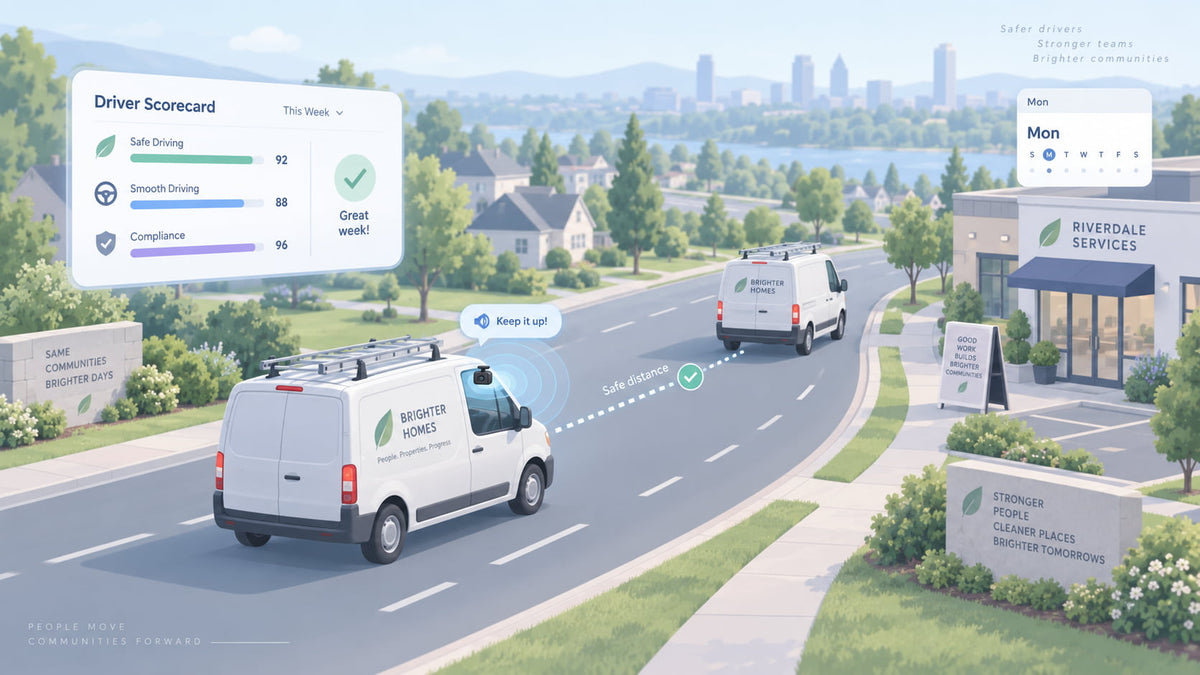
Most small fleets don't have a safety manager. They have an owner who already does dispatch, estimates and payroll, and who finds out a driver has a bad habit when a customer calls, a mirror gets clipped, or the insurance renewal shows up. Driver coaching sounds like something big fleets do with a department and a training budget. It doesn't have to be.
Spytec GPS is a self-serve GPS fleet tracking platform for small and mid-size fleets, with free hardware on every plan, no contracts, and published pricing from $8.95 per vehicle per month on the annual OBD plan. This guide shows how a 5 to 50 vehicle service fleet can run driver coaching in 2026 with two loops: an AI dash cam that nudges the driver in the moment, and a 15-minute review you do once a week.
Why driver coaching stalls in a small fleet
Coaching usually fails for one of three reasons, and none of them is that the owner doesn't care.
- The feedback is too late. A conversation about a hard stop from three weeks ago is a conversation about something the driver can't remember. Behavior changes when the feedback lands close to the moment.
- There's too much to look at. A list of every alert for every truck, every day, turns into a pile nobody opens. The owner reviews nothing, or reviews everything once and gives up.
- It feels like a gotcha. If the only time a driver hears about the camera or the tracker is when they're in trouble, they'll treat it as a surveillance tool and resent it.
A routine that works for a small fleet fixes all three. Feedback happens in the cab, in real time, without you. Your review is short and limited to one thing per week. And drivers know the rules, and hear about the good weeks too.
Loop 1: the AI dash cam coaches in the moment
This is the part most owners underestimate. An AI dash cam does more than record. It watches the road and the driver, and when the driver tailgates, picks up a phone or starts to nod off, it says so out loud in the cab, right then. The driver hears it and corrects course before anything happens, and before you ever see a report.
That audible nudge is coaching. It's the same thing a ride-along trainer would do, without the trainer. A driver who hears the camera speak up every time they ride the bumper of the truck ahead starts leaving more room, because nobody likes being told twice. It also isn't personal. It's the camera, it's every driver, and it happens the same way every time.
With Spytec's Pulse Vision AI dash cam, the in-the-moment loop looks like this:
- Forward collision warning. When the driver is following too closely or approaching a hazard, the camera triggers an in-cab audio alert before impact.
- Driver-facing alerts. The driver-facing camera detects eye closure, yawning, phone use and smoking, and alerts the driver out loud in the cab, so the phone goes down or the driver pulls over to rest. You get notified too.
- Automatic clips. AI-detected events are clipped and uploaded over 4G LTE, so the video is waiting for you instead of sitting on a memory card.
- Full GPS tracking in the same device. Live location, trip history, geofences and speed alerts, so a camera vehicle doesn't need a separate tracker.
One setup detail is worth checking on day one. In the Hapn app, each camera has its own event triggers (crash, harsh acceleration, harsh braking, harsh turning, and power disconnected), and each can be switched on or off under Dash Camera Settings. If a trigger is off, the footage still records to the card, but nothing gets clipped and uploaded for that event. Turn on the ones you want to coach on.
Trucks without a camera still get part of this loop. A Pulse OBD tracker can send you a speeding alert the moment a vehicle goes over the posted limit by a margin you set, such as 10 mph over. That alert goes to you rather than the driver, but it means you can call while the trip is still fresh. Our guide to monitoring driver speed without riding along covers how to set those alerts without drowning in them.
An AI dash cam that coaches in the cab. Pulse Vision is $399.95 a year per vehicle with free hardware, no contract, and a 30-day money-back guarantee.
Loop 2: the 15-minute weekly driver coaching routine
The in-cab nudge handles the moment. Your job is the pattern. Pick the same 15 minutes every week, Monday morning before the trucks roll works for most shops, and follow the same four steps.
Minutes 0 to 3: read the scorecard, not the alert feed
Start with the summary, not the individual alerts. For OBD-tracked vehicles, the Driving Behavior Report in the Hapn web app gives each vehicle a score from 0 to 100 and bands them as Good (85 and up), Fair (70 to 84) or Needs Attention (below 70), with counts of harsh acceleration, harsh braking, harsh cornering and speeding. Pulse Vision adds weekly driver safety scorecards built from the camera's AI events. You can schedule either one to land in your inbox, so you're not logging in to go find it.
You're looking for two things: who moved into Needs Attention, and who has been in Good for a while.
Minutes 3 to 6: pick one driver and one behavior
Not five drivers. Not every behavior. One driver, one pattern, this week. A driver with eight harsh brakes concentrated in two days is a different conversation from one who brakes hard a little every day. The Speeding Report helps here: it splits speeding into Low (1 to 5 mph over), Medium (6 to 10) and Severe (11 and over), so you can tell whether a driver occasionally drifts over the limit or regularly drives well over it.
Minutes 6 to 10: watch the clip or the replay
Numbers start the conversation. The clip or the replay settles it. For a camera event, open the auto-captured clip in the Media Library. If you need a stretch of time the camera didn't flag, you can request it from the card, which takes about a minute. For a speeding event, every row in the Speeding Report has a Time Machine link that opens the trip at that moment, so you can see the road, the speed on either side of it, and where the vehicle was coming from.
Sometimes the clip shows the driver did exactly the right thing: someone cut them off and they stopped in time. That's still worth a conversation, just a different one.
Minutes 10 to 15: a five-minute conversation
Keep it short and specific. Show the clip or the map. Ask what happened before you say anything. Agree on one change. Then tell them you'll look at the same number next week. That last sentence matters more than anything else in the routine, because it turns a one-off talk into a loop.
Once a month, use the same 15 minutes for the drivers in the Good band. A text or a word at the truck that says "your score has been in the 90s all month" costs nothing and makes the camera feel like something that can work in their favor, not just against them.
What to coach first
If you're starting from zero, coach in this order. It roughly follows how badly each behavior can hurt a person, a truck or a claim.
| Behavior | Where you see it | Who hears about it first |
|---|---|---|
| Following too closely | Pulse Vision forward collision warning | The driver, out loud in the cab |
| Phone use and drowsiness | Pulse Vision driver-facing camera | The driver, out loud in the cab, then you |
| Severe speeding (11+ mph over) | Speeding alert and Speeding Report | You, by alert or weekly report |
| Harsh braking and cornering patterns | Driving Behavior Report and camera clips | You, in the weekly review |
Making driver coaching stick without a mutiny
The fastest way to kill a coaching program is to install cameras on Friday and start pulling clips on Monday. A few things make the difference:
- Tell drivers before the camera goes in. Explain what the camera does, that it will speak up in the cab, what gets uploaded, and who watches it. Put it in writing. If you plan to record audio or use a driver-facing camera, check the rules for your state first; our guide to dash cam laws by state covers notice, audio consent and biometric privacy.
- Use the score to start a conversation, not to end one. A number below 70 is a reason to watch a clip together, not an automatic write-up. Keep discipline in your written policy, where everyone has seen the steps in advance. Our fleet safety program template includes a discipline section built for small fleets.
- Show drivers the clips that protect them. When footage clears a driver of a false claim, say so. That's when most crews stop seeing the camera as a spy. The case for that is in our piece on how dash cam footage protects your business.
What a coaching setup costs
Pulse Vision is annual only at $399.95 per vehicle per year ($33.33 a month), with the camera hardware free. Pulse OBD trackers, which feed the Driving Behavior Report and speeding alerts, are $8.95 per vehicle per month on the annual plan or $14.95 month to month. Volume discounts apply automatically at checkout across your whole order: 5% at 5 to 9 devices, 10% at 10 to 24, rising to 25% at 100 or more. There's no activation fee, no cancellation fee and no contract.
For example, cameras in 8 vans come to $3,199.60 a year before the discount and $3,039.62 after the 5% volume discount, about $253 a month for the fleet. See the full pricing for every tracker and plan. If you're comparing camera systems, our small-fleet dash cam comparison lays out what each one costs.
Frequently asked questions
What is driver coaching?
Driver coaching is the routine of using driving data and video to help drivers change specific habits, such as following too closely, speeding or using a phone. For a small fleet it works best as two loops: an AI dash cam that alerts the driver in the moment, and a short weekly review where the owner picks one driver and one behavior to talk through.
How do AI dash cams help coach drivers?
AI dash cams coach in real time. When the driver does certain things, the camera speaks up in the cab, so the driver corrects right away instead of hearing about it days later. Spytec's Pulse Vision triggers an in-cab audio alert when a driver is following too closely or approaching a hazard. Its driver-facing camera detects phone use, drowsiness and smoking and alerts the driver in the cab for those too, and it uploads clips of AI-detected events for your weekly review.
How often should a small fleet coach drivers?
Once a week is enough for most 5 to 50 vehicle fleets, if it's short and consistent. Spend 15 minutes, pick one driver and one behavior, watch the clip or replay, have a five-minute conversation, and check the same number the following week. The in-cab alerts handle the moment-to-moment coaching between reviews.
Do I need a dash cam to coach drivers?
No, but it helps. A GPS tracker alone gives you speeding alerts and a driver behavior score based on speeding, harsh braking, harsh acceleration and cornering. A dash cam adds what a tracker can't: video of what happened, a driver-facing view for phone use and drowsiness, and an audible alert to the driver in the moment.
What should a driver scorecard include?
A useful driver scorecard shows a single score per driver or vehicle, the events behind it (harsh braking, harsh acceleration, harsh cornering, speeding by severity, and camera events if you have them) and a trend over time. Spytec's Driving Behavior Report bands each vehicle as Good (85+), Fair (70 to 84) or Needs Attention (below 70), and it can be emailed to you on a schedule.
Is it legal to use a driver-facing camera for coaching?
Video recording in company vehicles is generally allowed with notice to drivers, but audio recording and biometric features have stricter rules in some states. Tell drivers in writing before installing cameras and check your state's audio-consent and biometric privacy laws. Our dash cam laws by state guide covers the details.
The bottom line
A small fleet doesn't need a safety department to coach drivers. Let an AI dash cam handle the moment, with an audible nudge in the cab when a driver follows too closely, picks up a phone or starts to nod off, and keep your part to 15 minutes a week: one scorecard, one driver, one clip, one conversation. Do it every week, recognize the good drivers too, and the numbers will move.
Start coaching without a sales call. Free hardware, no contract, volume discounts applied automatically, and a 30-day money-back guarantee.






Share:
How to Track Mileage by State for IFTA and New York HUT Using GPS
Driver-Facing Cameras: What They Catch and Whether to Turn Yours On (2026)