

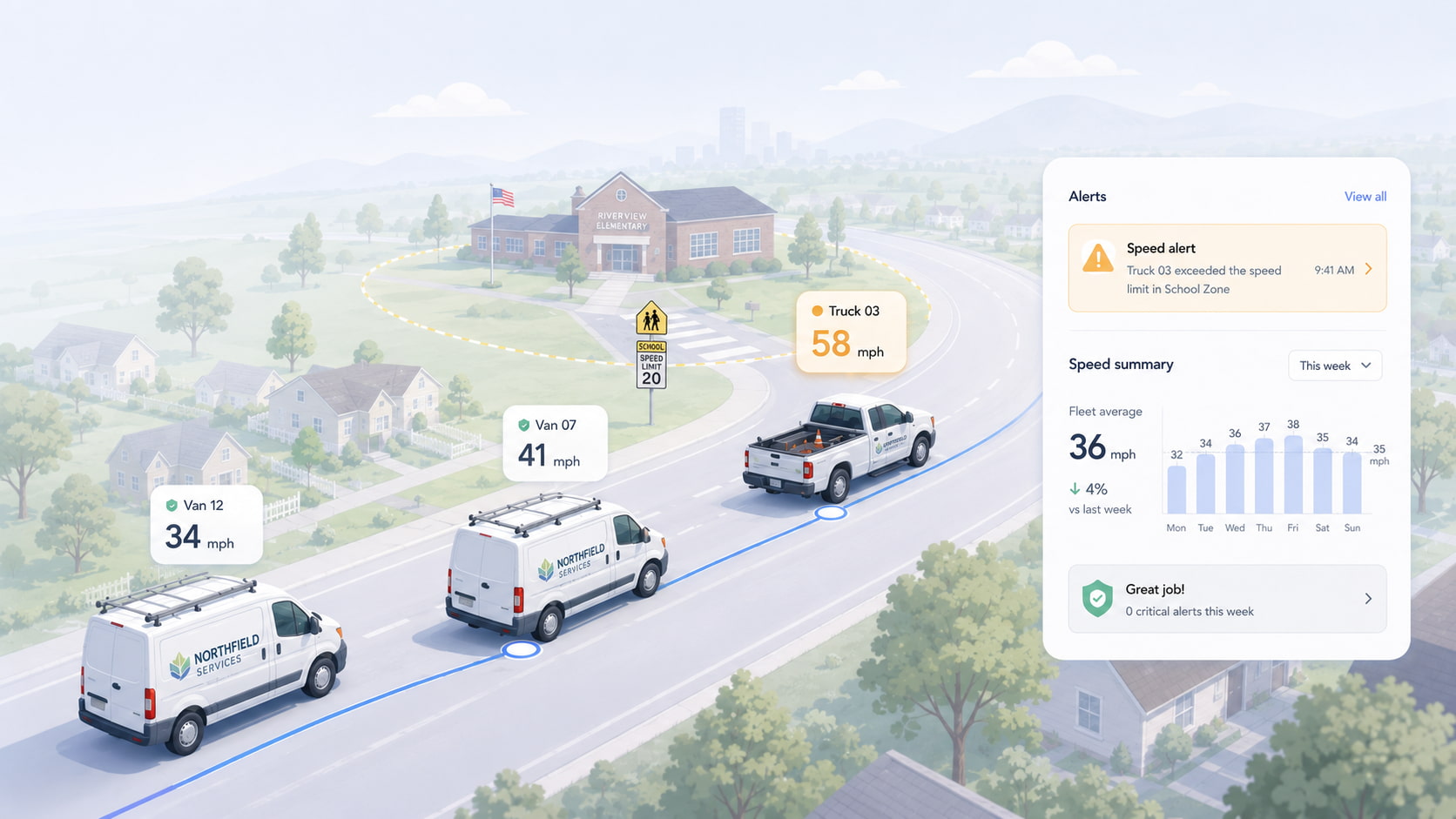
You can't ride along in five trucks at once. Every fleet owner eventually gets the call — a neighbor saw your van "flying" down a residential street, or an insurance renewal lands with a number that makes no sense — and realizes the honest answer to "do my drivers speed?" is I don't actually know. This guide covers how to monitor driver speed across a small fleet with GPS, how speed alerts work, and how to turn the data into slower driving without becoming the boss who reads a spreadsheet of grievances every Friday.
Spytec GPS is a self-serve GPS fleet tracking platform built for small and mid-size fleets, with free hardware on every plan, no contracts, and transparent pricing from $8.95/vehicle/month (annual).
How GPS speed monitoring actually works
A GPS tracker calculates speed from position: it knows where the vehicle is several times a second, so it knows exactly how fast it's moving between those points. That gives you three layers of visibility:
- Live speed — what every vehicle is doing right now, on the same map you dispatch from.
- Speed alerts — an automatic notification the moment a vehicle exceeds a threshold you set. You don't watch the map; the map watches for you.
- Trip history — every route with speeds along it, so a complaint about "your truck on Route 9 this morning" takes thirty seconds to confirm or clear.
With a plug-in tracker like the Spytec Pulse OBD, location updates as fast as every second, which is what makes the speed picture accurate rather than approximate — and speeding, hard-braking, and aggressive-driving alerts are included on every Spytec plan, not sold as a safety add-on tier.
Setting speed alerts that catch problems, not noise
The most common mistake is setting one fixed alert at, say, 70 mph and calling it done. That catches highway speeding and misses the speeding that actually generates complaints and claims: 45 in a 30 through a neighborhood — a speed a fixed highway threshold will never flag. The fix is using both kinds of alert for what each is good at:
- Posted-speed-limit alerts — make this your default. Spytec compares each vehicle's live speed to the actual posted limit on the road it's driving and flags when a driver exceeds it by a tolerance you choose — say, 10 mph over the limit. Set the tolerance to what you consider a real violation rather than traffic-flow drift: a tight tolerance surfaces every infraction; 10–15 over catches genuine speeding without burying you in pings. This is the alert that sees 45 in a 30.
- A fixed hard ceiling (for example 75 mph) that should essentially never fire, on any road — when it does, you have a conversation that day.
- Geofence context for sensitive areas. Draw a geofence around a school zone, a customer campus, or your own yard, and let the entry/exit alerts plus trip history show behavior where it matters most.
The goal isn't a stream of pings. It's a short, consistent weekly picture: who exceeded the limit, by how much, where, how often — and whether it's a pattern or a Tuesday.
Turning speed data into slower driving
The data only pays off if drivers know it exists and know how it's used. Three practices do most of the work:
- Tell the crew up front. Monitoring a company vehicle you own is legal everywhere in the U.S., but surprise monitoring poisons trust. Put it in writing — our employee GPS policy template covers the notice language — and present it as protecting good drivers, because it does: the same history that flags a speeder clears the driver who gets falsely accused.
- Coach patterns, not moments. One alert is weather, traffic flow, a passing maneuver. The same driver firing alerts every afternoon on the same road is a habit. Address habits, forgive moments, and speeding drops without the shop turning adversarial.
- Share the wins. A month of clean speed history is a real asset — it cuts fuel burn (the U.S. DOE-sourced numbers in our fleet fuel statistics put every 5 mph over 50 at roughly an extra $0.32 per gallon), and documented driver behavior gives you something concrete to bring to your insurance renewal conversation.
Speed alerts on every vehicle, this week. Free tracker with every plan, speeding and driver-behavior alerts included, from $8.95/vehicle/month — no contracts, no sales calls.
When speed data alone isn't enough
GPS tells you a vehicle was doing 52 in a 35. It can't show the school bus it was passing or the tailgater behind it. If your exposure is liability — accident claims, "your driver cut me off" calls, nuclear-verdict anxiety — pair the tracker with a road-facing camera. Our guide to commercial dash cams for fleets covers when video is worth adding; the short version is that GPS answers how fast and where, video answers what actually happened.
Frequently asked questions
How can I monitor my drivers' speed remotely?
Install a GPS tracker in each vehicle and set speed alerts in the app. A plug-in OBD tracker installs in about 30 seconds per vehicle, reports live speed and location as fast as every second, and notifies you automatically when any vehicle exceeds the threshold you set — no ride-alongs and no manual checking.
Is it legal to monitor speed in company vehicles?
Yes — in the U.S. you may GPS-track vehicles your business owns, including their speed. A handful of states require notifying employees, and written notice is best practice everywhere. See our state-by-state guide to employee GPS tracking laws for specifics.
Can GPS speed data show history, or only live speed?
Both. Speed is stored with trip history, so you can replay any route a vehicle took and see the speeds along it — which is exactly what you need to verify or dismiss a complaint about a specific time and place.
Do speed alerts work without a dash cam?
Yes. Speed monitoring is a GPS feature and needs no camera. A dash cam adds video context for liability protection, but speeding, hard-braking, and idling alerts all come from the GPS tracker itself.
Can speed alerts use the road's actual posted speed limit?
Yes. Spytec supports posted-speed-limit alerts — the platform knows the limit on the road each vehicle is driving and notifies you when a driver exceeds it by a tolerance you set (for example, 10 mph over) — alongside traditional fixed thresholds. Posted-limit alerts are what catch neighborhood speeding that a fixed highway threshold misses.
Will monitoring speed actually change how my drivers drive?
In practice, most of the change comes from drivers simply knowing the vehicle records speed — paired with consistent, pattern-based coaching rather than one-off call-outs. The follow-on benefits show up in fuel spend and in the driver-behavior record you can bring to insurance renewals.
The bottom line
Monitoring driver speed isn't about catching people — it's about replacing "I think my guys drive fine" with a weekly picture you can actually stand behind: live speeds, automatic alerts at thresholds you choose, and a per-route history that protects good drivers as often as it flags bad habits. For a small service fleet, that's a 30-second plug-in install per vehicle and one alert rule.
Know how every vehicle is being driven. Free hardware, speed and behavior alerts on every plan, ships in 2 days. No contracts.






Share:
Lytx Pricing in 2026: What It Actually Costs Small Fleets (and Why There's No Price Tag)
Fleet Preventive Maintenance: Catch Breakdowns Before They Cost You a Day of Jobs (2026)