

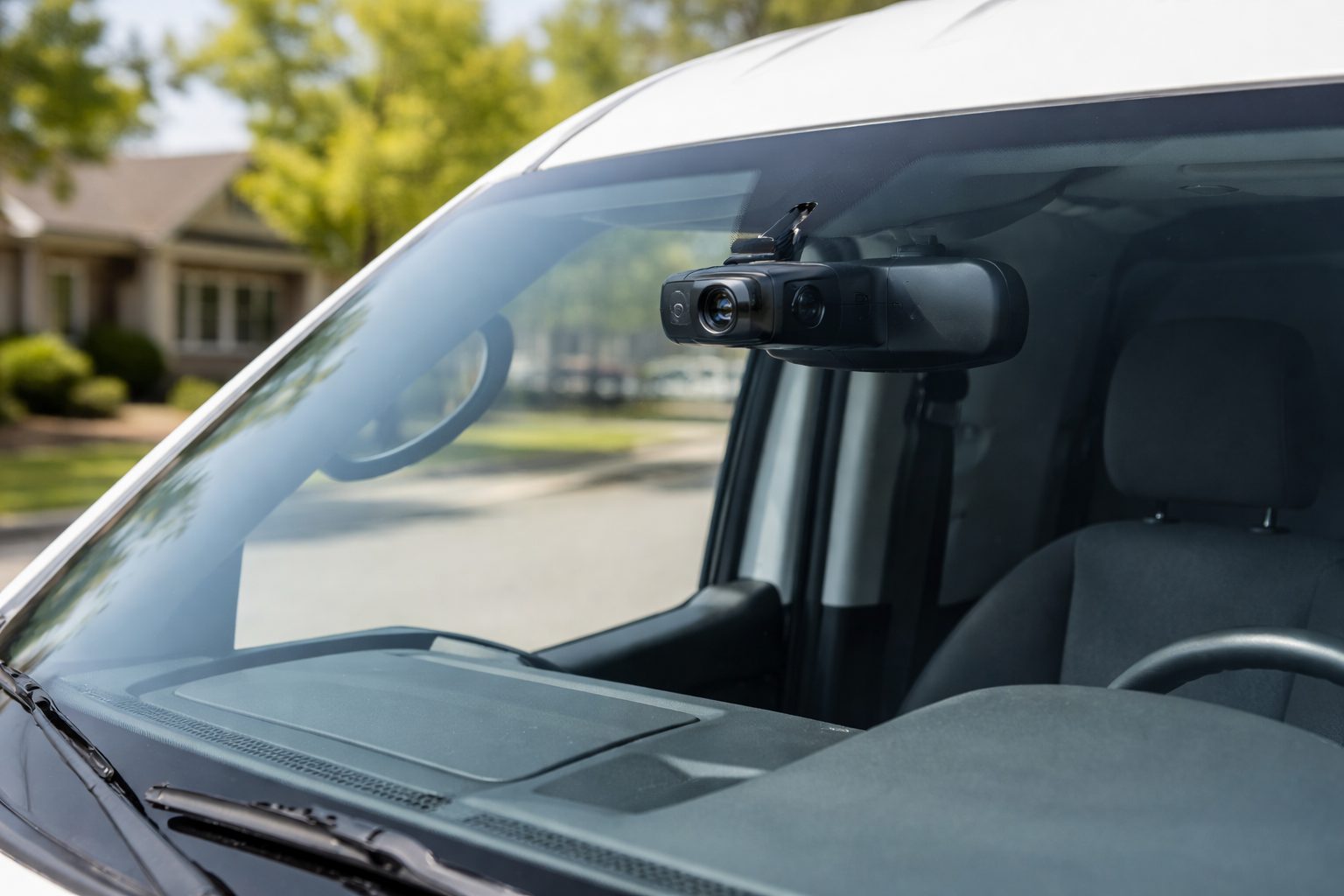
The average cost of a commercial vehicle crash involving bodily injury now exceeds $120,000. For small and mid-sized service businesses, a single "he-said, she-said" accident can trigger skyrocketing insurance premiums or a devastating lawsuit. A commercial dash cam for fleet vehicles is no longer optional — it is a front-line shield against liability.
Spytec GPS is a self-serve GPS tracking platform for small and mid-size fleets, with plans starting at $8.95/vehicle/month and no long-term contracts. We built our system for local service businesses — HVAC, plumbing, roofing, landscaping — that need the protection of advanced telematics without the enterprise price tag or a 3-year commitment.
In this 2026 guide, we cover exactly what to look for in a video telematics solution: the difference between cheap consumer cameras and true commercial systems, how to navigate installation, how to handle employee pushback on cabin-facing cameras, and how to evaluate your options without getting locked into bloated software built for long-haul trucking.
Why Service Businesses Need a Commercial Dash Cam for Fleet Vehicles
A standard GPS tracker tells you where your vehicles are and how fast they are going. A commercial dash cam shows you exactly what happened. When an HVAC technician or plumber is involved in a collision, the dash cam provides unbiased, time-stamped video proof of the event — the kind of evidence no eyewitness account can refute.
Fleet owners primarily use video telematics to fight two massive financial threats.
The first is false claims. A civilian driver rear-ends your van, then claims your driver ran a red light. Without video, it becomes a word-against-word dispute where your insurance company settles to avoid litigation. With video, the claim is closed in days, not months.
The second is "nuclear verdicts" — cases where juries award wildly disproportionate damages against commercial vehicles. Plaintiff attorneys specifically target businesses with fleets because they are perceived as having deep pockets. Locking yourself into the wrong fleet software is expensive enough; getting hit with a nuclear verdict because you had no video evidence is catastrophic.
Beyond litigation, many insurance carriers now offer measurable premium discounts to businesses that deploy fleet tracking solutions with video telematics, because it demonstrates a proactive safety commitment they can underwrite against.
Basic Dash Cam vs. Full Telematics Dash Cam: What's the Difference?
When shopping for a commercial dash cam for fleet use, you will encounter two fundamentally different categories. The gap between them matters more than any spec sheet comparison.
| Feature | Basic Consumer Cam | Commercial Telematics Cam |
|---|---|---|
| Storage | Local SD card only | SD card + automatic cloud upload |
| Footage retrieval | Manual — physically pull the SD card | Remote — view from your desk in minutes |
| GPS integration | None | Built-in — every clip tagged with location and speed |
| Incident alerts | None | Instant push alerts on harsh brake, impact, or AI trigger |
| Tamper risk | High — driver can remove or "lose" SD card | Low — cloud backup happens automatically |
| Price range | $50–$150 upfront | Hardware + monthly subscription |
| Fleet management | Zero visibility across vehicles | Full fleet dashboard with video, GPS, and alerts |
The consumer cam might look appealing at $79 on Amazon, but the moment you need that footage — after a crash, after a customer dispute, after an insurance claim — you will find out exactly what you paid for. SD cards corrupt. Drivers conveniently lose them. And you will have no idea an incident even happened until days later.
A true commercial dash cam integrates video with live GPS data, G-force sensors, and cellular connectivity. When a harsh braking event or collision occurs, the system automatically clips and uploads the video to the cloud. You get an alert and can watch the footage from your office within minutes of the event.
→ See self-serve fleet GPS tracking plans starting at $14.95/mo
6 Must-Have Features in a Commercial Dash Cam (2026)
Not all commercial cameras are built the same. If you are outfitting a fleet of 5 to 50 service vehicles, these are the six features that separate a useful system from a liability.
1. Minimum 1080p HD Video Quality with Night Vision
Grainy footage is legally worthless. A commercial dash cam must record in at least 1080p HD to capture license plates, street signs, and intersection layouts clearly enough to hold up in an insurance dispute or courtroom. For the road-facing camera, 1080p is the floor — 1440p or 4K is better if your budget allows.
Infrared (IR) night vision is non-negotiable for the cabin-facing camera. Emergency plumbing calls, early-morning HVAC dispatches, and late-night deliveries all happen in the dark. If your cabin camera can't see in low light, it cannot do its job when it matters most.
2. Wide-Angle Lens Coverage
A narrow field of view misses pedestrians, cyclists, and merging vehicles at the edges of the frame — exactly where contested accidents happen. Look for a minimum 140-degree wide-angle lens on the road-facing camera. Some premium commercial systems offer 170 degrees. This wider coverage is what captures the full context of an incident rather than just the center lane.
3. Cloud Storage with SD Card Backup
Cloud storage is the right answer for fleet management, but the best systems use a hybrid approach: continuous recording to an onboard tamper-resistant SD card, with automatic cellular cloud uploads triggered by safety events (hard braking, rapid acceleration, physical impact).
This means you are not paying to upload hours of empty highway footage. You get cloud-backed evidence for the events that actually matter, plus a local backup if cellular connectivity fails. Pure cloud-only systems that rely on constant data upload can generate significant cellular data costs at scale. Pure SD card systems leave you blind until someone physically retrieves the camera.
4. Integrated GPS Tracking
Video without location context only tells half the story. A commercial dash cam should feature integrated GPS so every video clip is stamped with the vehicle's exact location, speed, heading, and timestamp. This combined data is what insurance adjusters need to process claims quickly and in your favor — and what plaintiff attorneys cannot argue against.
Standalone dash cams that lack GPS leave a critical gap. If your driver was going 28 mph in a 35 zone, you want that on record. If the other party claims your van ran a stop sign at 60 mph, GPS speed data ends that argument immediately.
5. Dual-Facing Cameras (Road + Cabin)
A road-facing camera proves what the other driver did. A cabin-facing camera proves what your driver was doing. Both matter for full liability coverage.
Dual-facing dash cams are the gold standard for service fleets because they answer the two questions that come up in every accident dispute: what was the road situation, and was my driver attentive? A cabin camera showing your employee wearing a seatbelt, hands on the wheel, eyes forward at the moment of impact is worth more than any eyewitness testimony.
We cover driver sensitivity around cabin cameras in the next section — it is a real issue worth addressing proactively.
6. AI Incident Detection
Modern commercial dash cams use on-device AI to proactively flag risky behavior before an accident happens. Our Pulse Vision AI Dash Cam detects tailgating, cell phone usage, distracted driving, and seatbelt non-compliance in real time, generating automatic alerts so fleet managers can coach drivers instead of just reacting to crashes after the fact.
This shifts your dash cam from a reactive evidence tool to a proactive safety system — which is also the argument you make to your insurance carrier when negotiating premium reductions. Documented, AI-driven coaching programs reduce accident rates, and insurers price that accordingly.
Installation: Hardwired vs. Plug-In for Service Fleets
How your cameras are installed affects both your upfront cost and your day-to-day fleet operations. There are two primary options for commercial dash cams, and the right choice depends on your fleet size and how much downtime you can tolerate per vehicle.
OBD-II Plug-In Installation
OBD plug-in cameras draw power directly from the vehicle's diagnostic port and require no wiring. Installation takes under a minute — literally plug in and go. This is the right choice for fleets that need cameras operational today without taking trucks out of service. The tradeoff is that the OBD port is occupied, which matters if your mechanics regularly need it for diagnostics, and the cable and device are more visible to drivers.
Hardwired Installation
Hardwired cameras connect directly to the vehicle's fuse box, which frees up the OBD port and allows for cleaner, hidden cable routing. A hardwired setup is more tamper-resistant and looks more professional inside the cabin. Installation takes 30 to 60 minutes per vehicle — most fleet owners do it themselves with a basic wire tap kit, though some prefer a one-time professional install for larger fleets.
Hardwired systems also support parking mode, where the camera continues to monitor the vehicle even when the engine is off. This matters for fleets that park overnight in high-theft areas or want evidence if a vehicle is struck while parked.
Which Should You Choose?
For fleets prioritizing speed of deployment — say, 10 to 20 vans you need protected this week — start with plug-in. For fleets making a longer-term investment and wanting the cleanest setup, hardwire. Either approach works; just don't let installation complexity be the reason you delay protecting your business.
Overcoming Employee Pushback on Cabin-Facing Cameras
Approximately 60 to 70 percent of fleet owners report initial resistance from drivers when cabin cameras are introduced. The pushback is predictable and manageable if you address it directly rather than rolling out cameras without context.
The core objection is privacy. Drivers feel surveilled. They imagine a manager watching them eat lunch or pick their nose. Address this head-on in your rollout communication: cabin cameras are not live-streamed to your desk. They record continuously to local storage and upload only when a safety event is triggered. No one is watching normal driving.
The framing that works best: the cabin camera is the driver's best witness. When a civilian driver cuts them off and causes an accident, and then claims it was your driver's fault, the cabin camera is the only thing that proves your driver was attentive, buckled, and not on their phone. Most drivers, once they understand that, become advocates for the cameras rather than critics.
Practical steps that reduce friction:
- Notify employees in writing before installation and have them sign a fleet vehicle policy acknowledging the cameras — this is required in some states and is best practice everywhere.
- Be specific about who can access footage and under what circumstances (safety investigations and insurance claims only, not performance reviews).
- Start with road-facing only if pushback is severe, then add cabin-facing after drivers have seen the system protect a colleague from a false claim.
The Problem with Enterprise Dash Cam Providers
Most fleet management giants treat small service businesses as an afterthought. Samsara, Motive, and Verizon Connect build their platforms for long-haul interstate trucking operations — and then try to sell the same bloated software to local roofers and landscapers who need about 20 percent of the features at a fraction of the cost. This is what we call the feature bloat tax — and service fleets pay it every month.
Beyond feature mismatch, the contract structure at enterprise providers is a separate problem. Three-year lock-in agreements are standard. Hardware is often financed into the contract rather than sold outright, so you're paying for the camera long after you stop using it. Canceling early comes with significant penalties. For a 10-van plumbing company, this is an enormous and unnecessary financial risk.
Public dash-cam pricing is often difficult to compare because some providers publish camera add-ons, starting prices or special-program pricing rather than a complete system price. For a provider-by-provider view built on current first-party sources, see our 17-provider fleet dash cam study.
Spytec is the anti-enterprise solution. Plans start at $14.95/vehicle/month (monthly) or $8.95/vehicle/month (annual). A free standard tracker is included with every plan. You buy online, install yourself, and manage your fleet on your terms — no sales calls, no multi-year commitments, no surprise fees.
A Note for Heavy Equipment and Construction Fleets
Service fleet owners running mixed operations — road vehicles plus job site equipment like excavators, trailers, or skid steers — often find that on-road dash cam systems don't address their full asset visibility needs. Equipment that never touches a road still gets stolen, misused, and left idle at cost.
If you manage both service vehicles and heavy equipment, Hapn offers construction and equipment tracking built specifically for that use case — ruggedized hardware, non-powered asset tracking, and utilization reporting designed for job sites, not highways.
Frequently Asked Questions
What is the difference between a commercial dash cam and a consumer dash cam?
A commercial dash cam integrates GPS tracking, cellular connectivity, cloud storage, and AI incident detection into a single system managed from a fleet dashboard. A consumer dash cam records to a local SD card with no remote visibility, no GPS context, and no automatic alerts. For fleet use, the inability to remotely access footage and the risk of SD card tampering make consumer cameras a liability rather than an asset.
Do I need a contract to use Spytec GPS fleet tracking?
No. Spytec GPS operates on month-to-month or annual plans with no long-term contracts. You can cancel anytime without penalty. Plans start at $14.95/vehicle/month (monthly) or $8.95/vehicle/month (annual), and a free standard tracker is included with every plan.
Does a commercial dash cam record all the time?
Most commercial dash cams record continuously to local storage while the vehicle is powered on. However, they upload footage to the cloud only when a specific event triggers it — harsh braking, rapid acceleration, a physical impact, or an AI-detected safety event. This keeps cloud storage costs manageable and means you only review footage when something actually happened.
Will a dash cam drain my fleet vehicle's battery?
No. Professional commercial dash cams include voltage monitoring safeguards. If the device detects the vehicle battery dropping below a safe threshold, it automatically powers down to ensure the van or truck starts normally the next morning. This is standard on any purpose-built commercial system and is not a concern with quality hardware.
Are cabin-facing cameras legal for commercial fleets?
Yes. Businesses are legally permitted to install cabin-facing cameras in company-owned vehicles to monitor employee safety and protect company assets. However, it is best practice — and required in some states — to clearly notify employees in writing that recording devices are in use and to have them sign a fleet vehicle policy acknowledging it before deployment.
How does GPS integration in a dash cam help with insurance claims?
Integrated GPS stamps every video clip with the vehicle's exact location, speed, heading, and timestamp at the moment of the event. Insurance adjusters use this combined data to process claims quickly and accurately. It eliminates the ambiguity that leads to drawn-out disputes — if your driver was doing 28 mph in a 35-mph zone, that fact is in the file, not open for interpretation.
Ready to add video to your fleet? Here's where to start.
Protect your business from false claims and cut liability today. No contracts. Ships in 2 days.
Shop Fleet Trackers →






Share:
Plumbing Fleet Tracking: Reduce Overtime and Stop After-Hours Vehicle Use (2026)
GPS Tracking for Service Trucks: What to Know Before You Buy